Aiseesoft PDF Merger is specially designed for users to merge any PDF files together. After converting, users could enjoy several PDF files conveniently.
Now, I will show you how to merge PDF files with Aiseesoft PDF Merger step by step.
Step 1: Download the PDF Merger and install it.
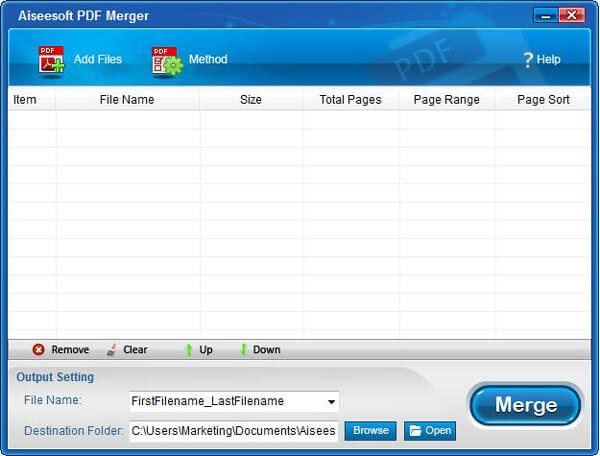
After running the software, you can see the interface as below.
Step 2: Add files
Click the "Add Files" button to input the PDF files you want.

Step 3: Define merge methods
Select page range
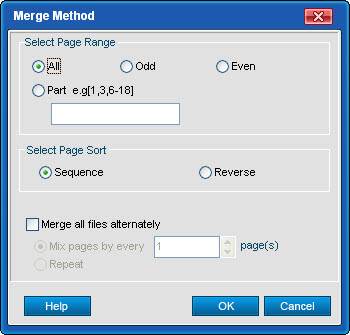
This PDF Merger enables you to choose PDF page range in four modes: All, Odd, Even, and Part. If you choose the "Part" mode, you can input the page numbers or page range.
Select page sort
You can set the PDF Merger to merge PDF files in sequence or in reverse order.
Tips: Aiseesoft PDF Joiner can even merge all PDF files alternately with the selected page sort and page range.

没有评论:
发表评论