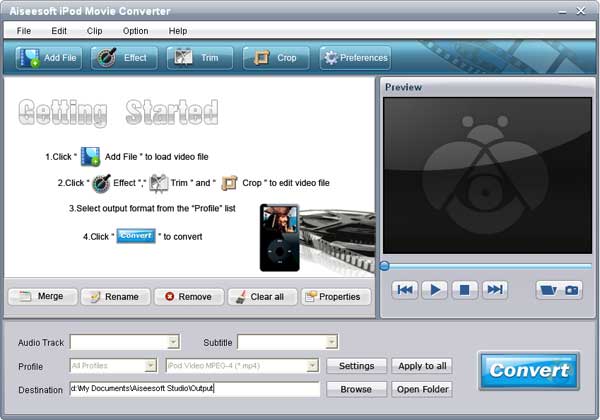
Add files: Click the button “Add File” to add files or you can also load the files by clicking the “Files ﹥Add files” on the toolbar;
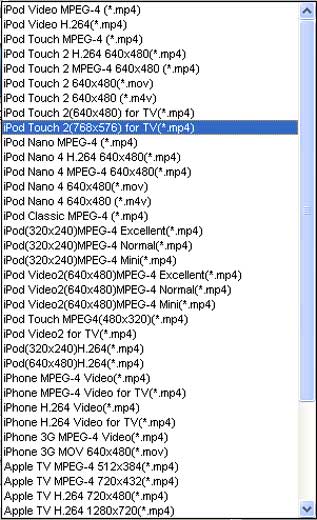
Choose the output format;
Click the “Profile” drop-down menu to choose which output format you want.
Click the “Browse” menu to find the destination folder for saving output file; If you want to complete the conversion by default settings, just click the “Start” button to begin the convert.
It is the easiest way to finish the whole converting process only with 3 steps.
You can select the settings as you wish;
Click the “settings” button to open the settings’ window and set output files such as output format and set the video parameters (such as resolution, frame bite, encoder, and bit rate) or audio parameters (such as sample rate, channel, encoder and bit rate, etc

没有评论:
发表评论